Introduction
You've done this before.
Open ChatGPT or Claude. Type your date of birth, time of birth, place of birth. Ask what your chart says about your career, your marriage, your next few years.
It answers. Confidently. Specifically. Sounds right.
Here's the problem — it probably isn't.
In our own testing, we gave an AI nothing but birth details and asked it to compute a Vedic chart. It came back with Saturn in Aquarius, Rahu in Pisces, Lagna in Aries. The actual chart? Saturn in Capricorn. Rahu in Virgo. Lagna in Taurus. Every single value was wrong — and the AI never once said "I'm not sure."
That's the part that should worry you. Not that it's wrong sometimes. That it's wrong confidently, in a tone indistinguishable from when it's right.
This guide isn't about whether ChatGPT or Claude is "good" at astrology in general — I've written about that split in detail before. This is specifically about the one fixable part: getting the chart itself right before you ask a single question. In this guide, we'll cover exactly why the hallucination happens, and the 5-step fix that's cut it by roughly 80% in our own testing.
Quick answer
AI kundali (also spelled AI kundli) is a free, structured Vedic birth chart file built specifically for AI systems to read — instead of asking ChatGPT, Claude, Gemini, or Perplexity to calculate your chart from raw birth details, you generate this file once and upload or paste it in. The AI then interprets a pre-computed, accurate chart instead of guessing one. Internal testing comparing both approaches found roughly an 80% reduction in hallucinated planetary positions, signs, and dasha data when the AI works from the file instead of raw birth details.
Why ChatGPT and Claude Hallucinate Your Kundali
Four specific things break, and they compound.
1. No memory across chats. Every new conversation starts from zero. You retype your date, time, and place — again — and the AI has no idea if it matches what you told it last week.
2. No ephemeris — so it guesses. This is the real one. ChatGPT and Claude are language models, not astrology engines. They don't have planetary tables. Ask one to work out where Saturn sits from your birth details, and it's pattern-matching against text it's seen before, not computing a position. Sometimes that guess is close. Often — like our Saturn/Rahu/Lagna example above — it isn't, and there's no way to tell which case you're in just by reading the answer.
3. Screenshots and PDFs get misread. The common workaround is to screenshot a kundali from another app and upload the image. Kundali PDFs are built for printing, not for machines to parse — tables merge, columns garble, a Nakshatra field silently vanishes. The AI reads a broken version of your chart and doesn't know it's broken.
4. Every AI gives you a different answer. Ask ChatGPT, then Claude, then Gemini the same question from the same birth details, and you'll often get three different charts — because none of them are working from the same data. Inconsistent inputs make inconsistent outputs inevitable.
The Fix: Give the AI a Pre-Computed Chart, Not Raw Birth Details
The fix isn't "don't use AI for astrology." It's simpler than that — stop asking the AI to calculate anything.
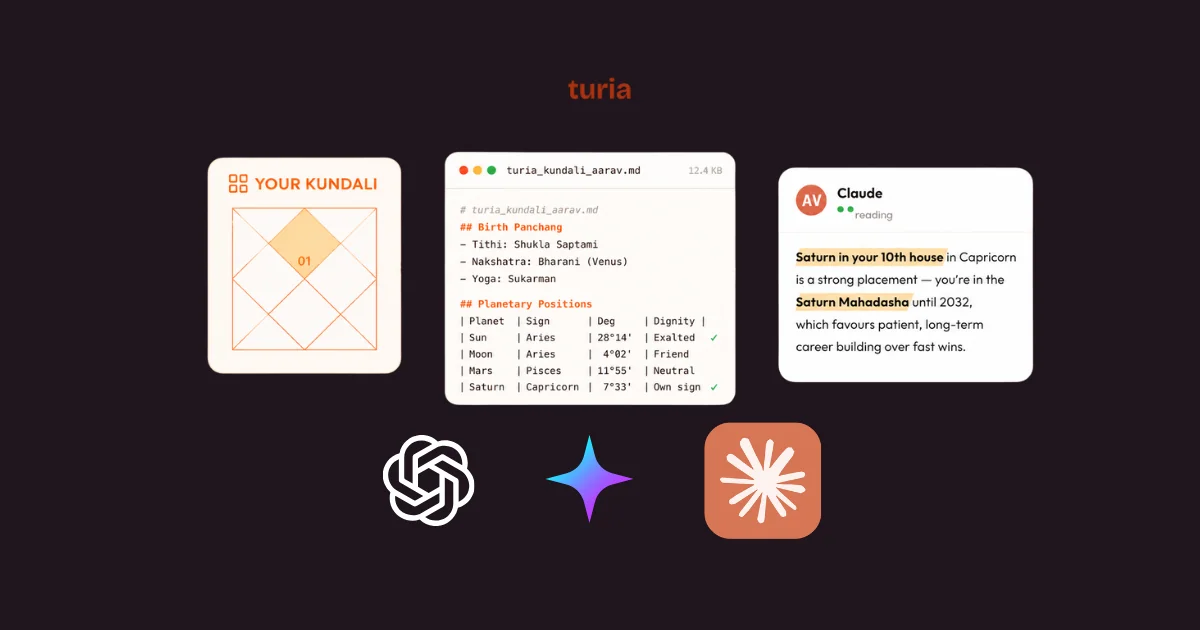
An AI kundali is a Vedic birth chart that's already been computed by a dedicated astrology engine, then formatted into a clean text file any AI can read accurately. The AI's job changes completely: instead of guessing your Saturn placement from a date, it's just reading a line that already says where Saturn is. Interpretation, not calculation. That's the part AI is actually good at.
turia's AI Kundali tool does exactly this, and it's free. If you want the fuller story of why this exists and how it's different from an app that reads your chart for you, I've written about that here — this guide sticks to the practical steps.
How to Get Your AI Kundali (5 Steps)
- Enter your birth details. Date, time, and place. Time matters most — even a 15-minute difference can shift your Lagna (ascendant), which changes almost everything downstream.
- Sign up for free. No credit card. This just saves your chart so you can re-download it anytime without re-entering your details.
- Download your file. You get a structured markdown file — clean, plain text, ready to upload.
- Copy the provided prompt. This is a short block of instructions that comes with the file — paste it before your first question in any new chat. It tells the AI to treat the file as the ground truth and read from it rather than estimating anything on its own.
- Ask anything. Career, marriage, current dasha, doshas, timing — whatever's actually on your mind.
Two minutes, and you never have to retype your birth details into an AI again.
Using It With ChatGPT, Claude, Gemini, and Perplexity
The file is plain text, so it isn't locked to one AI. How you hand it over varies slightly by platform:
| AI Platform | How to Use It |
|---|---|
| ChatGPT (OpenAI) | Upload the file directly in the chat |
| Claude (Anthropic) | Paste the contents or upload the file in a new conversation |
| Gemini (Google) | Paste the file contents directly into chat |
| Perplexity | Paste it as context before your question |
| Any other LLM | Plain text — works anywhere that accepts text input |
Claude tends to hold the chart context well across a long back-and-forth. ChatGPT and Gemini both do fine with it too, as long as the file (or the prompt) is the first thing in the conversation — don't bury it three questions deep.
The Prompt That Actually Works
The file alone isn't quite enough — the prompt that comes with it is what actually changes the AI's behavior.
Without it, an AI can still occasionally "fill gaps" from its own training data if a section of the file feels incomplete, especially deep into a long conversation. The prompt explicitly instructs the AI to treat the uploaded chart as the single source of truth, answer only from what's in the file, and flag it clearly if you ask about something the file doesn't cover — instead of quietly inventing an answer. That one instruction is doing most of the work in preventing the "confidently wrong" failure mode from the intro.
How Much Does This Actually Help?
In internal testing comparing AI outputs using birth details alone versus AI outputs using turia's structured kundali file, hallucination — measured as an incorrect planetary position, sign, or dasha — dropped by roughly 80%.
Worth being precise about what that number means: it's turia's own internal comparison, not an independent third-party audit, and it measures chart-data accuracy specifically, not the quality of the astrological interpretation on top of it. But the underlying logic holds regardless of who measures it — an AI reading a correct, pre-computed chart will get the data right far more often than an AI trying to calculate that same chart from scratch.
What's Inside Your AI Kundali File
It's more than just planet positions. A complete file includes:
- Birth panchang
- Planetary positions — sign, degree, dignity, and retrograde status
- House (bhava) details
- Full Vimshottari dasha sequence
- Doshas — Mangal, Kaal Sarp, Sade Sati
- Five-fold planetary friendships
- Sade Sati lifecycle analysis
- D1 and D9 (Navamsa) chart details
All computed using Parashari methodology with Lahiri ayanamsha — the same standards a practicing Jyotishi would use, just in a format an AI can parse instead of a format meant for a human to print and read.
Common Mistakes to Avoid
Re-typing your birth details instead of using the file. If you're still typing "12 April, 7:25 AM, Jaipur" into a new chat every time, you're back to square one — the AI is guessing again.
Uploading a screenshot instead of the actual file. A photo of a chart is exactly the misread-PDF problem this is meant to solve. Use the downloaded text file, not an image of one.
Guessing your birth time. If you genuinely don't know it, use your closest estimate and say so — a rough time is still far better than none. But if you do know it, don't round it to the nearest hour to save time typing; that 15-minute gap is the difference between two different ascendants.
FAQ
Why does ChatGPT get my kundali wrong?
ChatGPT is a language model, not an astrology engine — it has no ephemeris, so when you give it raw birth details, it estimates planetary positions instead of calculating them. It frequently gets the Lagna wrong, misplaces planets by a sign, or confuses Rahu and Ketu, all while sounding completely confident about it.
Can Claude read my birth chart accurately?
Yes, but only if you give it an already-computed chart to read rather than asking it to calculate one. Claude is a language model like ChatGPT and has the same lack of an ephemeris. Paste or upload a pre-computed AI kundali file at the start of the conversation, and Claude reads it accurately from there.
Is AI kundali free?
Yes. Generating your AI kundali on turia is free — enter your birth details, create a free account, and download the file. You can then use it with ChatGPT, Claude, Gemini, or any AI's free tier as many times as you like.
Does this work with Gemini or Perplexity too?
Yes. The AI kundali file is plain text, so it isn't locked to one AI. Paste the contents directly into Gemini, or paste it as context before your question in Perplexity. Any LLM that accepts text input can use it the same way.
What if I don't know my exact birth time?
Use your closest estimate — it's still much better than giving no time at all. Time affects your Lagna most directly, so if you're unsure, say so when you ask your questions, and treat Lagna-dependent answers with a bit more flexibility.
How much does AI kundali actually reduce hallucinations?
In internal testing, roughly 80% — comparing AI answers generated from raw birth details against AI answers generated from turia's structured kundali file. That's turia's own internal measurement of chart-data accuracy, not an independent audit, but the underlying reason is straightforward: reading a correct chart produces fewer wrong answers than calculating one from scratch.
Do I have to generate a new AI kundali for every conversation?
No. You create it once, download the file, and reuse it in as many new conversations as you want — with ChatGPT, Claude, Gemini, or anything else. It's less like a one-time query and more like a saved contact card for your chart.
Every AI kundali fixes the same root problem — the chart, not the conversation. Get the chart right once, and every question you ask after that has an actual foundation instead of a guess dressed up as one.
Hope this helps :)